
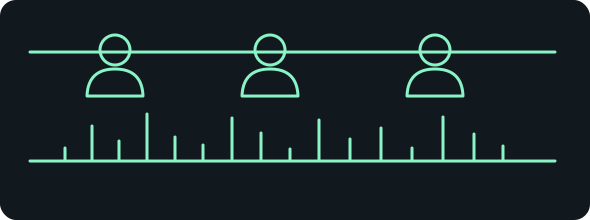
- 01 / processVisual clip
Existing authorised movement
- 02 / processSpeech
Exact recorded voice input
- 03 / processLip sync
Separate audio-driven pass
- 04 / processExport
Check mouth and audio together
Choose a route
| Route | Cost basis | What you need | What changes |
|---|---|---|---|
| MuseTalk 1.5Free local | No provider generation fee; compatible local hardware and setup required. | Separate Python/PyTorch environment, FFmpeg, official models, authorised face/video and audio; component licence review. | Complex dependencies; own model permission does not clear every component or upstream test media. |
| Sync Labs Studio trialFree hosted allowance | Documented 3 lip-sync generations/month, ordinarily up to 20 seconds; sync-3 at most once up to 15 seconds; watermark. | Own free account and authorised video/audio uploaded to provider; verify displayed allowance. | Small trial, hosted upload and watermark; no credit card required according to official documentation. |
| Sync Labs Studio paidPaid hosted | Displayed Hobbyist US$5/month or Creator US$19/month plus usage from US$0.05/second; model-specific charge/tax require account check. | Selected plan and model, authorised inputs and acceptance of usage charges. | Hobbyist retains watermark; Creator and higher remove it. No free-generation allowance on paid plans. |
Provider links are ordinary links. Free local software still needs hardware, storage and setup time; inspect current provider terms before paying.
Motion transfer does not automatically create lip sync. A character can copy somebody's dance without its mouth following your recording. To match new spoken words, use a pipeline that explicitly takes the desired audio as an input: for example, free local MuseTalk or hosted Sync Labs.
Some performance-transfer systems include facial movement. That can reproduce expressions from their reference performance, but it is not evidence that they synchronise a different voice track. Check the documented inputs rather than judging a silent preview. See our character-swap workflow for the separate body-motion task.
Evidence: official documentation and configuration/source files checked on 11 October 2026. We have not executed either lip-sync route. The diagram is explanatory; no generated talking character is claimed.
Decide what you actually need
If the character only dances to music, you may only need to add an authorised music track in an editor. If it delivers a spoken line, the mouth needs a separate audio-driven pass. Create or select the visual clip first, then supply the exact words as recorded speech. Adding an audio track to a video container does not change mouth movement.
For the simplest experiment, use one adult speaker who has agreed to the edit, a front-facing face and a short recording. Retain an untouched copy. Avoid a masked mouth, tiny face, rapid cut or extreme head turn for this first attempt: they make a mismatch harder to isolate. For fictional non-human characters, do not assume a face detector or human lip model will support their anatomy.
Our starter line is: “Please put the blue box by the window.” Record it in your own voice. It gives you recognisable mouth closures to inspect without cloning another person. Save a clean WAV or MP3, with minimal background sound, and trim unwanted silence. This line is an untested input brief, not generated speech.
Free routes and their limits
MuseTalk 1.5 runs locally without a provider's generation fee but needs installation, models and a compatible environment. Its repository specifies a Python 3.10 environment and a pinned PyTorch/CUDA stack; it is more involved than a beginner ComfyUI import. Use a separate environment rather than changing a working image-generation setup. No universal VRAM minimum or speed is promised here.
Sync Labs' documented free account offers three lip-sync generations per calendar month, ordinarily up to 20 seconds, with at most one sync-3 generation up to 15 seconds. No card is required according to its trial documentation. Free outputs contain a watermark. Uploads go to a hosted service; local MuseTalk avoids that upload once installed. Verify the allowance displayed in your account before generating. Free-trial source.
The licence matters: the original Wav2Lip open-source results are restricted to research, academic and personal use, with commercial use explicitly prohibited. We do not recommend that version for a paid client video. MuseTalk states its own code/model permit commercial use, but its dependencies have separate licences and the repository's collected test media are non-commercial research inputs. Do not redistribute those examples as a buyer pack or assume the entire dependency chain is cleared by the main repository's licence. Wav2Lip restriction, MuseTalk licence statement.
Local workflow: a separate MuseTalk audio pass
- Get the official MuseTalk repository. Follow its Installation section for a separate Python environment, pinned PyTorch packages, requirements and MMLab dependencies. Confirm FFmpeg is installed and
ffmpeg -versionworks. Record the checked-out revision and actual GPU/runtime, rather than relying on the old model-card setup instructions. - Obtain the model files using the repository's weight-download instructions for your operating system. Confirm
models/musetalkV15/unet.pthandmodels/musetalkV15/musetalk.json, plus the documentedsd-vae,whisper,dwpose,syncnetand face-parsing files. Keep each component's model licence. Our starter download contains none of these weights; commercial reuse of the complete configuration remains a component-level check. - Put your authorised picture/video and voice recording inside a simple working path, for example
input/speaker.mp4andinput/speech.wav. The upstream normal-inference configuration supportsvideo_pathandaudio_path; replace its example tasks with one task using your files. Use a similarly short video and speech duration to avoid unintentionally repeating visual movement.
task_0:
  video_path: "input/speaker.mp4"
  audio_path: "input/speech.wav"
- Save that configuration as
configs/inference/my_clip.yaml. For MuseTalk 1.5, the following command selects its actual model/configuration and output folder. On Windows, replace the FFmpeg folder with your real installation path; the shown folder is an upstream example. These are reader instructions, not commands we have executed.
python -m scripts.inference --inference_config configs/inference/my_clip.yaml --result_dir results/my_clip --unet_model_path models/musetalkV15/unet.pth --unet_config models/musetalkV15/musetalk.json --version v15 --ffmpeg_path ffmpeg-master-latest-win64-gpl-shared/bin
- Read the console output through to Results saved to. The inspected script constructs an MP4 and combines it with the provided audio. Open the exact path it reports, rather than treating completion of face preprocessing as completion of the video. Retain the exported file and your configuration. Configuration example, inference implementation.
The source code cycles source frames forward and backwards when supplying frames for its audio chunks. A longer voice recording can therefore produce repeated visual motion. Match input lengths for your first experiment; this pipeline is not a way to invent an uninterrupted longer body performance.
Hosted workflow: Sync Labs Studio
- Open Sync Labs Studio, sign into your own account and inspect its trial allowance or selected paid model price. Upload your authorised video and separate WAV/MP3 speech. The service documents these inputs and a no-code Studio route.
- Pick a lip-sync model available to your account. For a first short comparison, use lipsync-2 with the same prepared files. If more than one person appears, enable the documented face-detection control and select the intended face. Reposition its box if the wrong person is selected.
- Check the duration handling.
cut_offuses the shorter input,looprepeats the clip andbounceplays it forwards then backwards. Studio defaults vary with which input is longer. A matching duration is simpler than allowing an unnoticed default to change the performance. - Generate with the Sync Labs button, review the completed result and download the video using the result's download option. The exact signed-in result-panel layout was not inspected here. If exporting programmatically, the documented generation download endpoint returns a downloadable URL; a queued job is not a saved file. Reopen your export with sound enabled. Studio speaker selection, duration modes, download endpoint.
What paying changes
Sync's public price page displays a Hobbyist subscription at US$5/month plus usage from US$0.05/second, and Creator at US$19/month plus usage from US$0.05/second. Model-specific charges and tax must be checked before use. At that displayed starting usage rate, a ten-second attempt is US$0.50 in generation usage, in addition to the subscription. It is not a quote for every model or a cost per successful clip.
Hobbyist still has a watermark; Creator and higher remove it according to the trial documentation. Paying also changes duration/concurrency limits. It does not provide proof that our input will look better. Free allowances do not continue as free monthly generations after subscribing. Current price page, trial and upgrade conditions.
Troubleshoot before rerunning
No face detected: choose a closer, unobstructed face or correct the hosted selection box. Wrong person speaks: check speaker selection, not the speech file. Audio ends early or movement repeats: compare input durations and the chosen duration mode. Local export missing: inspect FFmpeg errors and the exact saved path. Mouth looks wrong: compare frame-by-frame against the original; save the failed attempt before adjusting input framing or documented local crop settings.
These are diagnostic checks based on pipeline inputs and documentation, not observed fixes from our own generation. Avoid adding background music before the first inspection; it makes listening to the timing harder.
Keep a reproducible record
Our pack contains the original test line, preparation checklist and blank reproduction log. It includes no voices, upstream test videos, weights or runnable ComfyUI graph. Record rights/input hashes, exact revision/model, settings, durations, fps, hardware, elapsed time, failed attempts and export path. For paid use also record the selected model charge and billed attempts. Generation: UNTESTED; output quality, hardware compatibility and usable-result cost remain unknown.
Original speech line
Record this in your own voice and save an audio file. Pasting these words into a lip-sync tool does not supply the required speech input.
Please put the blue box by the window.Take the steps with you
Reader starter files
The guide, original speech line, checklist, source register and a blank reproduction log. This pack contains no model weights, executable graph or tested output.
Download the starter packSources and testing status
Primary references checked 2026-10-11. These are documentation-based instructions. We have not run or benchmarked the generation routes described here.
- MuseTalk official repository: installation and licence
- MuseTalk normal-inference configuration
- MuseTalk inference implementation and export
- MuseTalk model card and restrictions
- Wav2Lip: non-commercial restriction
- Sync Labs free trial and watermark conditions
- Sync Labs Studio speaker selection
- Sync Labs duration handling
- Sync Labs supported media formats
- Sync Labs generation download endpoint
- Sync Labs current public pricing